TIBYAN

Download the beta directly

This is a beta and we need testers. Pick your device:

Android APK v1.0.0 · 155 MB

Other devices: armeabi-v7a · x86_64 · universal

or via Google Play (testing)

The APK can’t update the Google Play version; remove one before installing the other.

Mac ZIP v1.0.0 · 145 MB or via TestFlight

Not notarized by Apple: right-click it, then choose «Open».

iOS via TestFlight

Install the TestFlight app first, then open the link on the same device.

Windows Installer v1.0.0 · 110 MB

or a portable zip

If SmartScreen warns you, choose «More info», then «Run anyway». This is a beta and we need testers.

Linux (tar.gz) v1.0.0 · 119 MB

Beta test

Join the beta test

Try Tibyan before it launches. Testers get early versions first and send feedback from inside the app with «Report a problem», so issues are fixed before launch.

  • Early versions on iPhone, iPad, Android and Mac.
  • Your feedback reaches the team straight from the app.
  • Leave the test any time by removing the beta version.

Register your email and devices

For Android: use the address of the Google account on your phone.

Which device will you test on? Choose one or more.

We share your address only with Google Play or TestFlight to add you as a tester, and only write to you about the test.

Offline, no ads

Everything stays on your device, with no ads at all.

Tafsir beside the verse

Al-Muyassar, al-Mukhtasar, al-Jalalayn and al-Jami’ al-Wajiz, classical tafsirs via Quranpedia, and side-by-side comparison.

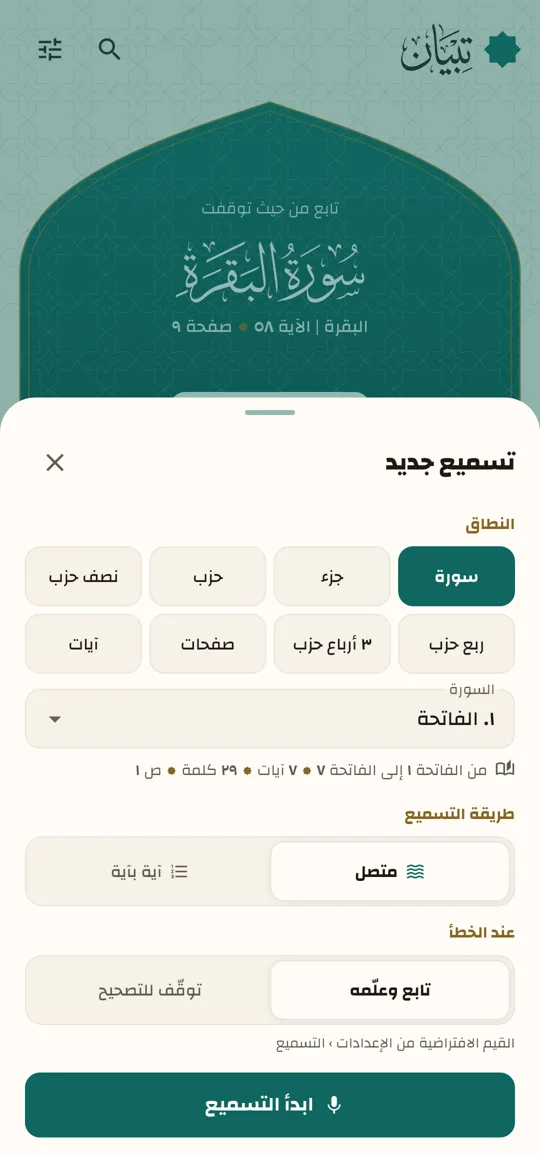
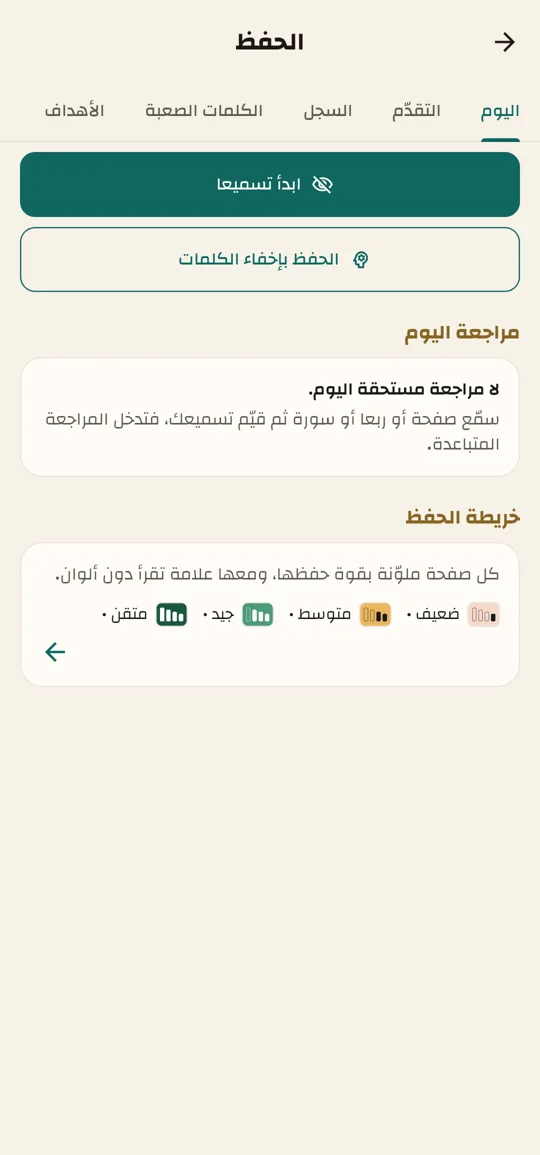
Recite from memory

Voice checking runs on your device; your voice never leaves it.

Your khatma

Follow your khatma progress day by day.

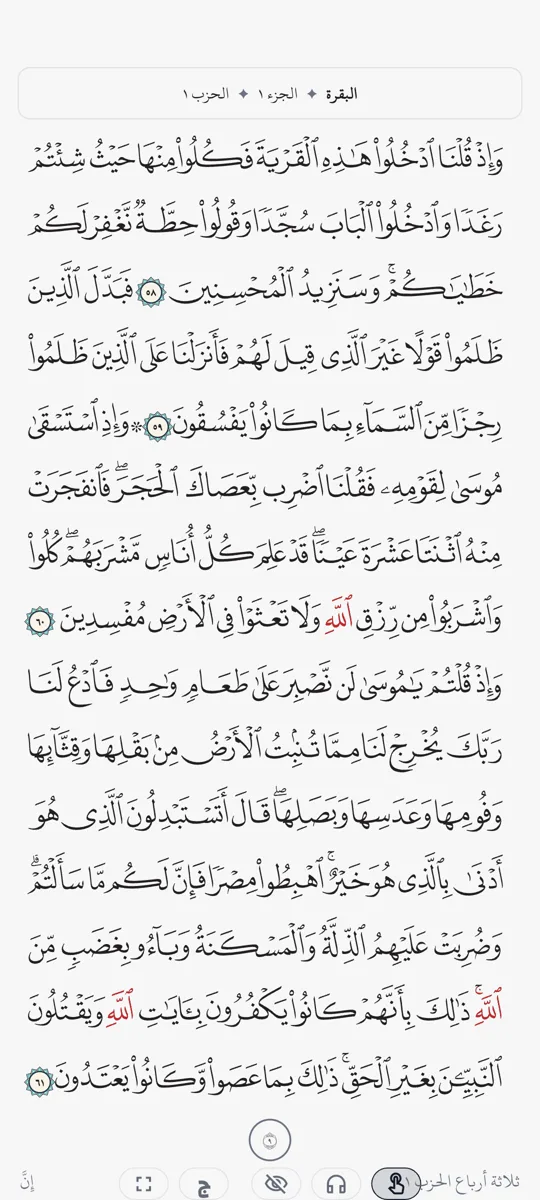
Tajweed colours

Tajweed rules coloured on the text.

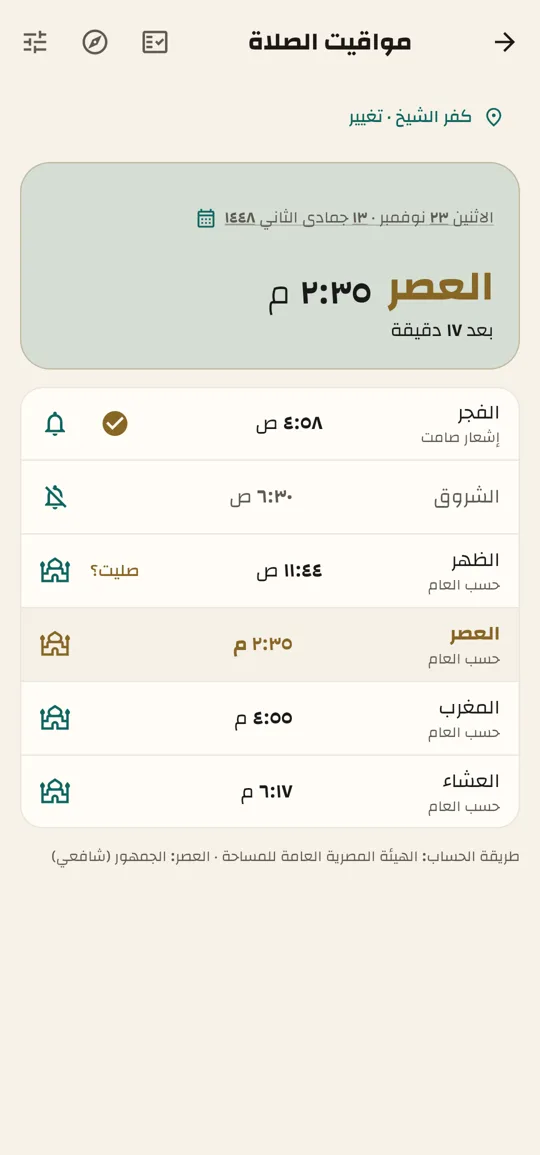
Prayer times and adhan

The adhan in thirteen muezzins’ voices, set for each prayer, with a full-screen animated scene for each one.

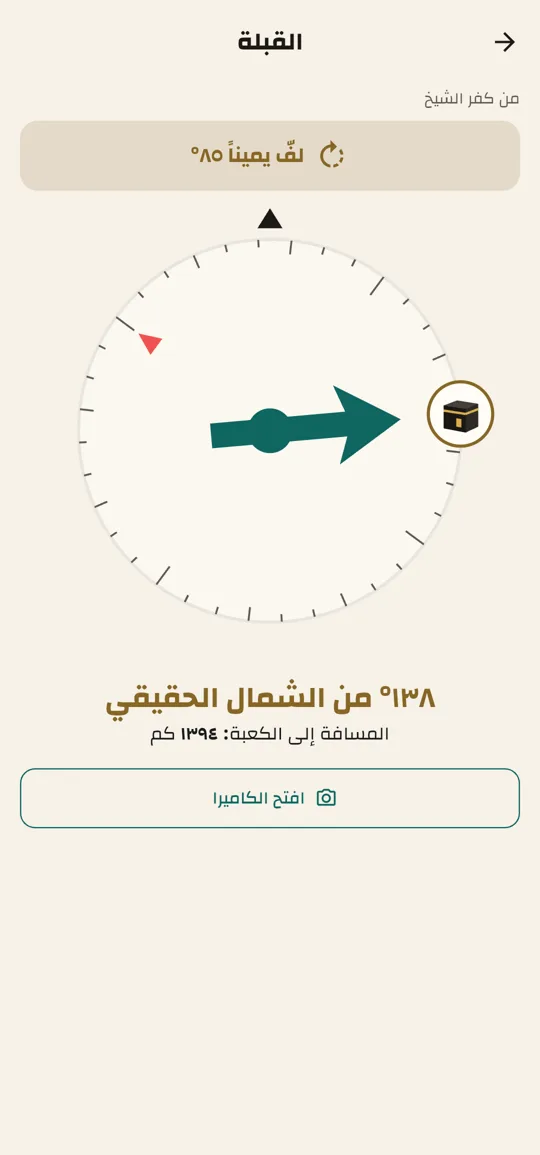
Qibla direction

A compass that guides you to face the qibla, a camera view, and a map on desktop.

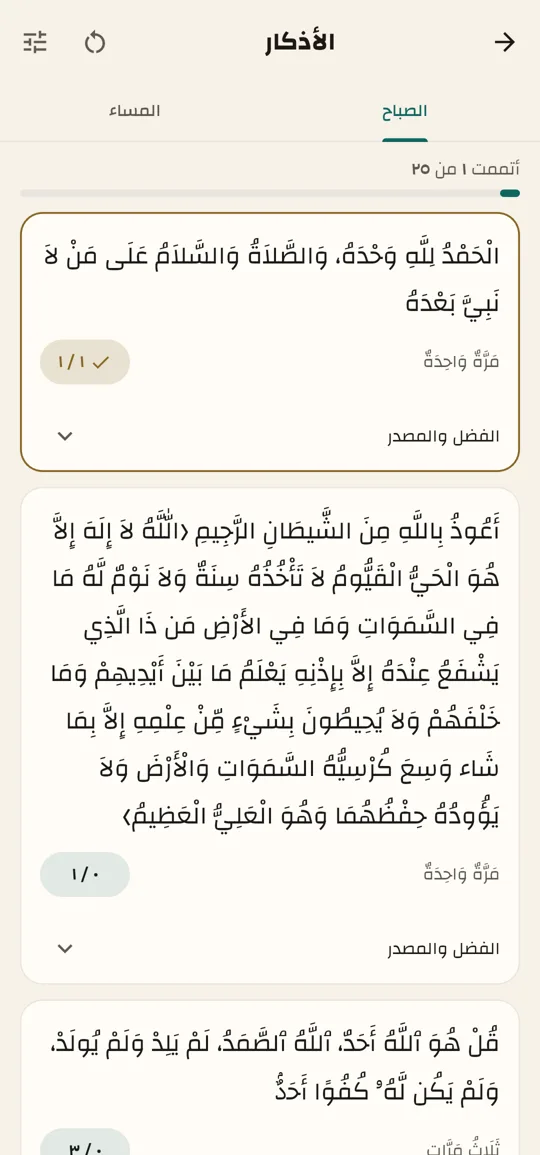
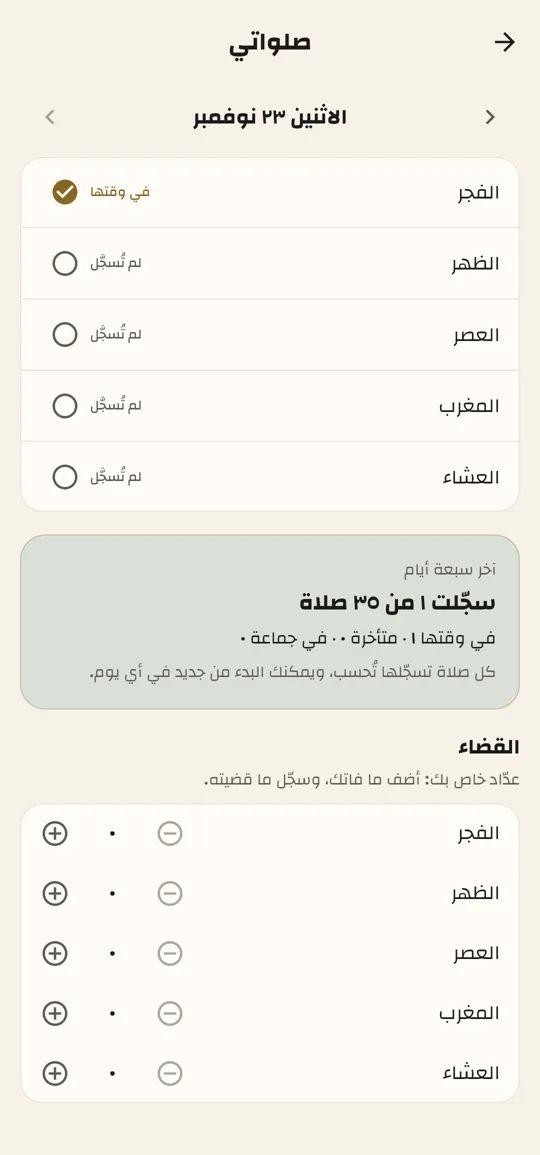
Adhkar and your prayer log

Morning and evening adhkar with reminders, and the «My prayers» log with a qada counter.

Hijri calendar

Islamic occasions, with a reminder the day before.

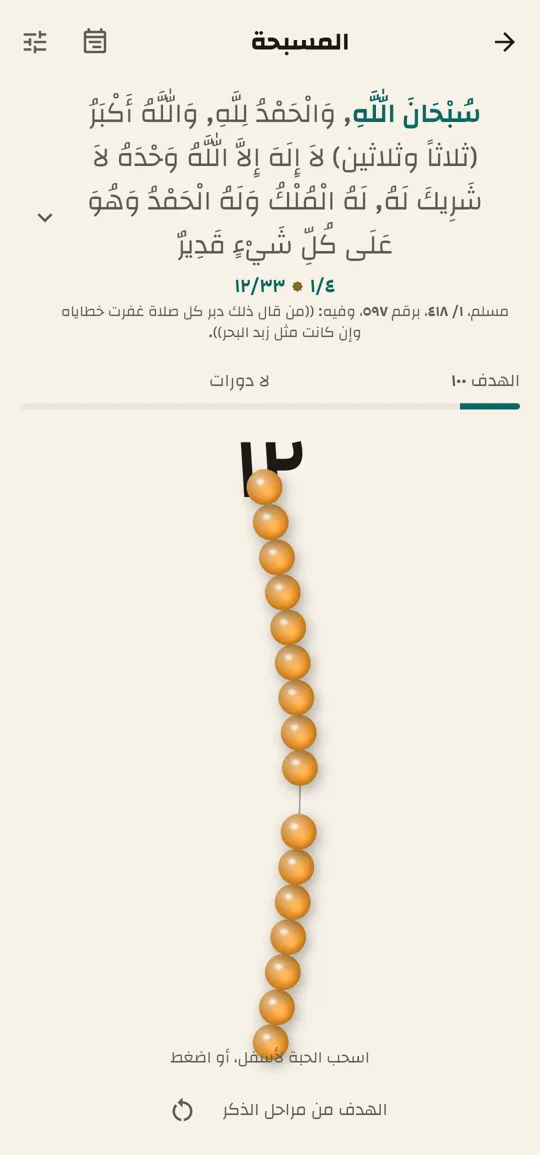
Repeat verses to memorize

Repeat one verse or a range as many times as you choose.

Smart search

Search by word or by root, or jump straight to a verse number.

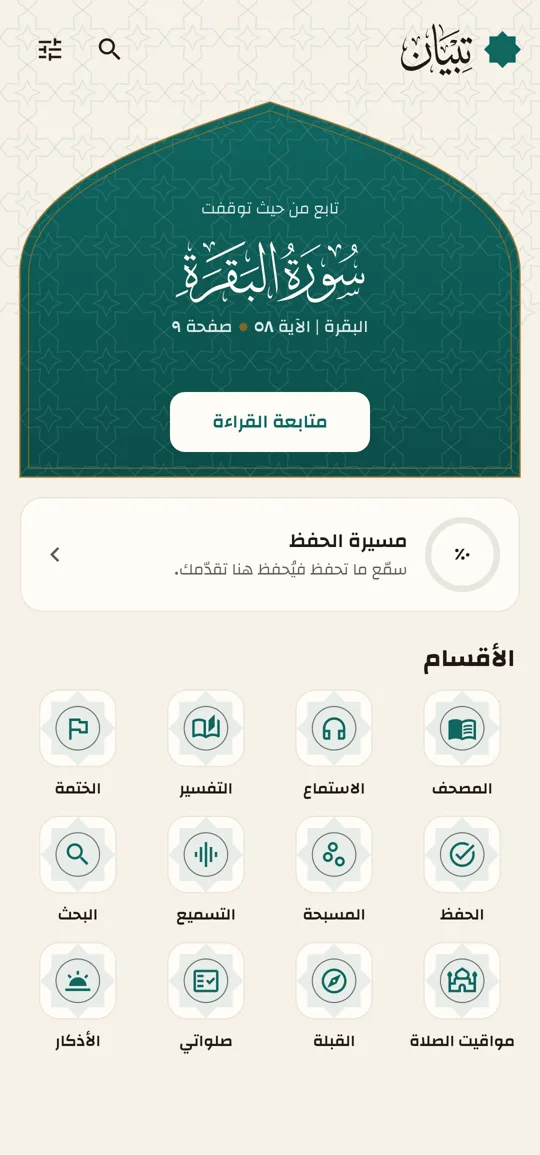
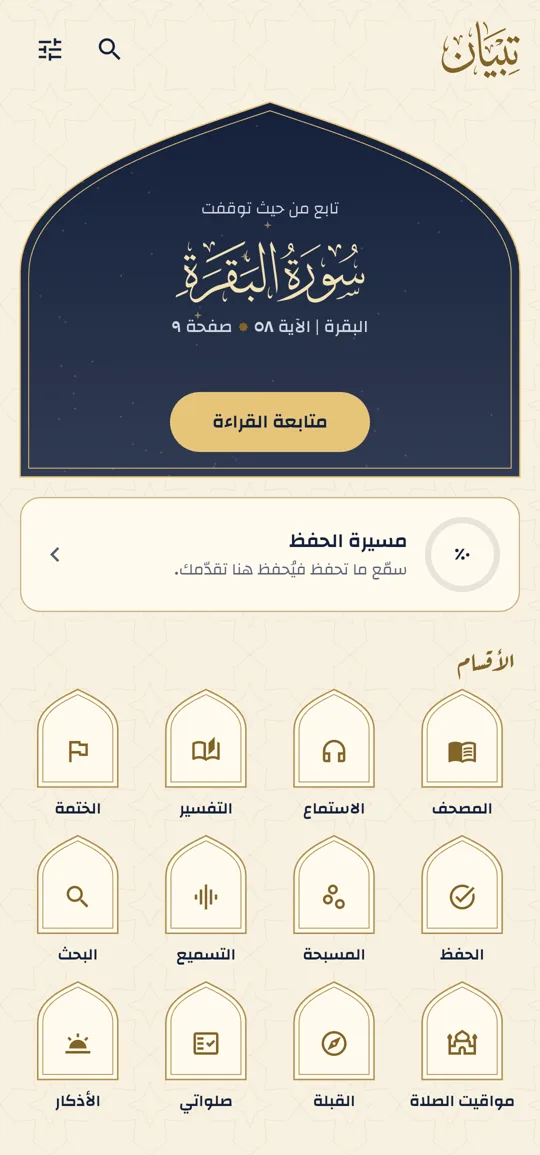
A redesigned home

Clearer sections on the home screen, and a sidebar on tablets and desktop.

Inside the app

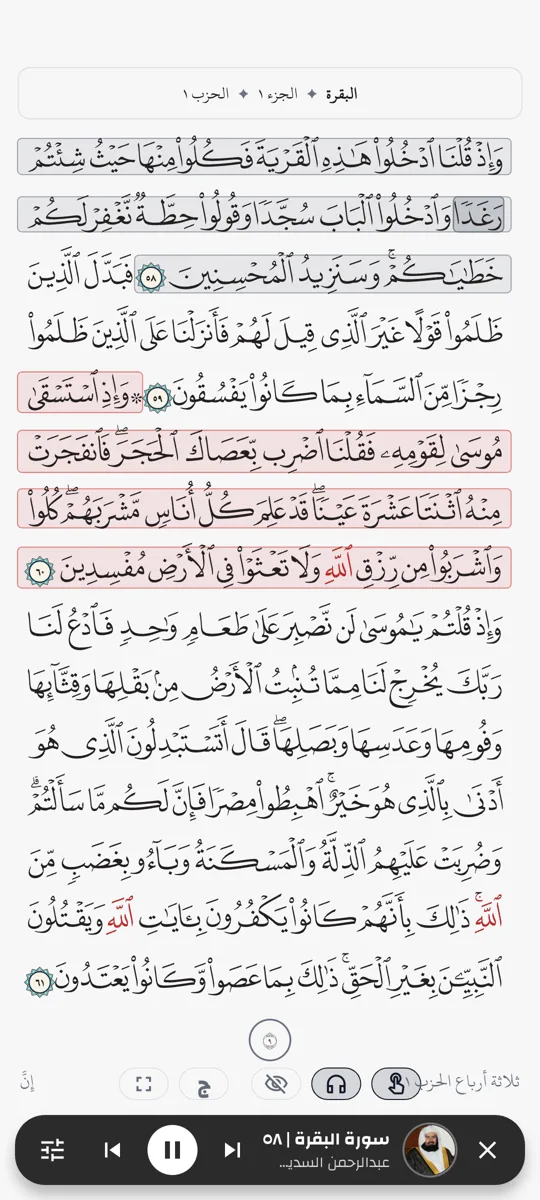
Real screenshots from the current version on a phone.

How to install

The links are public. Pick your device and follow its steps in order.

Android

Open the test link
  1. Open the test link on your phone

    Open it while signed in with the same Google account whose address you entered here.

  2. Tap «Become a tester»

    You only need to do this once; your account then joins the testers.

  3. Tap «Download it on Google Play»

    This opens Tibyan’s page in the Google Play store.

  4. Install or update the app

    If Tibyan is already installed you will see «Update» instead of «Install».

If the link says it is not available for your account, wait until we add your address to the testers list, then open the link again.

iPhone and iPad

Open the invite link
  1. Install TestFlight from the App Store

    TestFlight is Apple’s free app for running beta versions. TestFlight on the App Store

  2. Open the invite link on the same device

    The link opens Tibyan inside the TestFlight app.

  3. Tap «Accept», then «Install»

    On a device set to Arabic the buttons read «قبول» and «تثبيت».

Mac

Open the invite link
  1. Install TestFlight from the Mac App Store

    TestFlight on the App Store

  2. Open the invite link on your Mac

    Open it in Safari on the Mac where you installed TestFlight.

  3. Click «Accept», then «Install»

    After installing, Tibyan is in your Applications folder.